Stats

iA Writer for Windows provides comprehensive statistics of your document, including character, word or sentence counts, estimated reading time, and word goal.
These stats help you monitor your writing progress, which is particularly valuable for writers paid per word, or those eager to take part in writing challenges like the ones from NYC Midnight.
How To Display The Stats
You can quickly display your document's stats bubble by hovering your cursor near the bottom right corner of the Editor.
From here you can:
- click to see full list of statistics
- choose which statistic to display in bubble
- set a Word Goal
- choose whether to always show stats bubble or not
Text Selection
The statistics are dynamic and adapt to the selected text range.
When no text is selected, the stats for the entire document will are displayed. When some text is selected, the bubble updates to show stats for the selected range.
 Editor
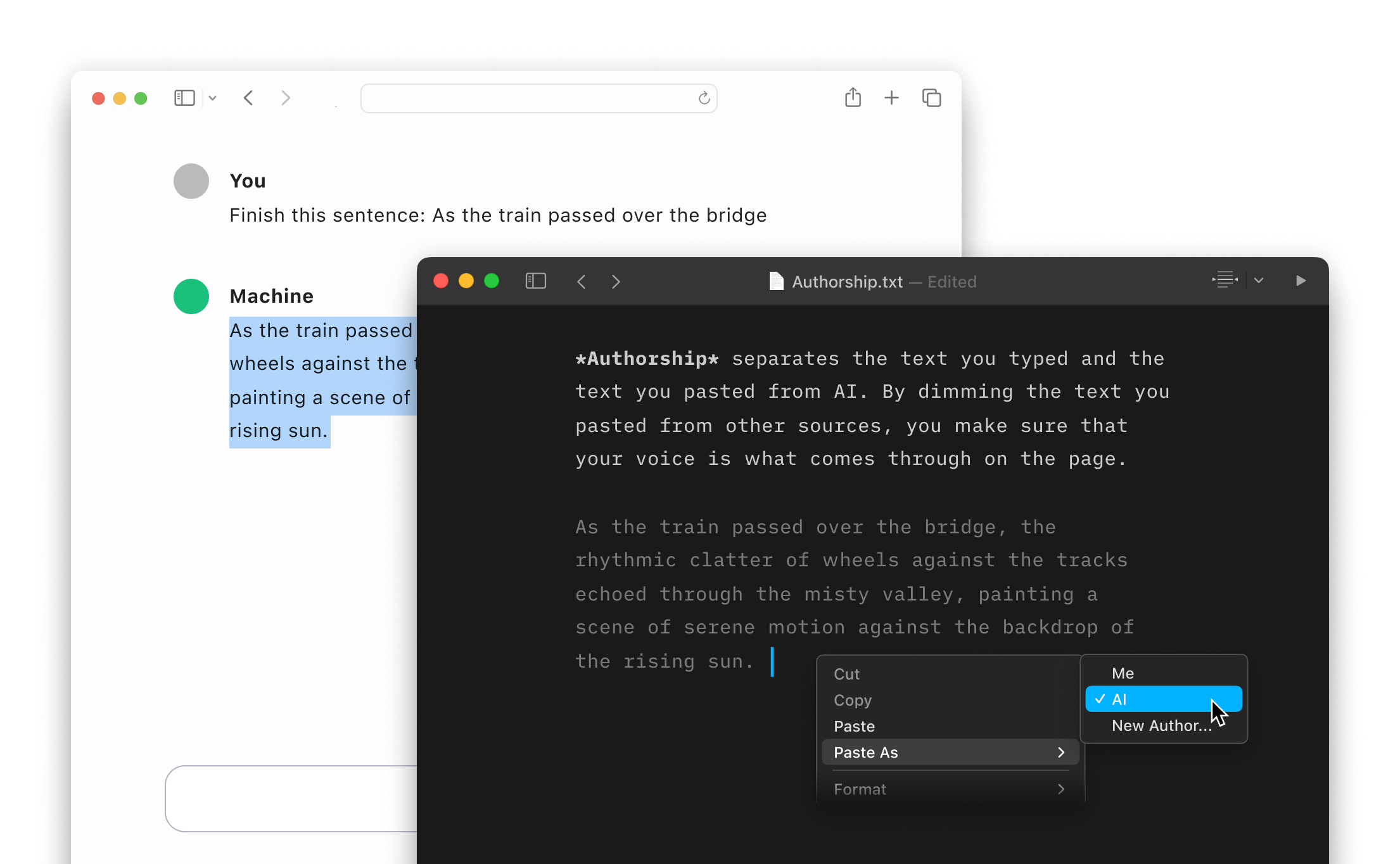
Authorship
Highlight the text you craft yourself and keep track of your sources, artificial or natural.
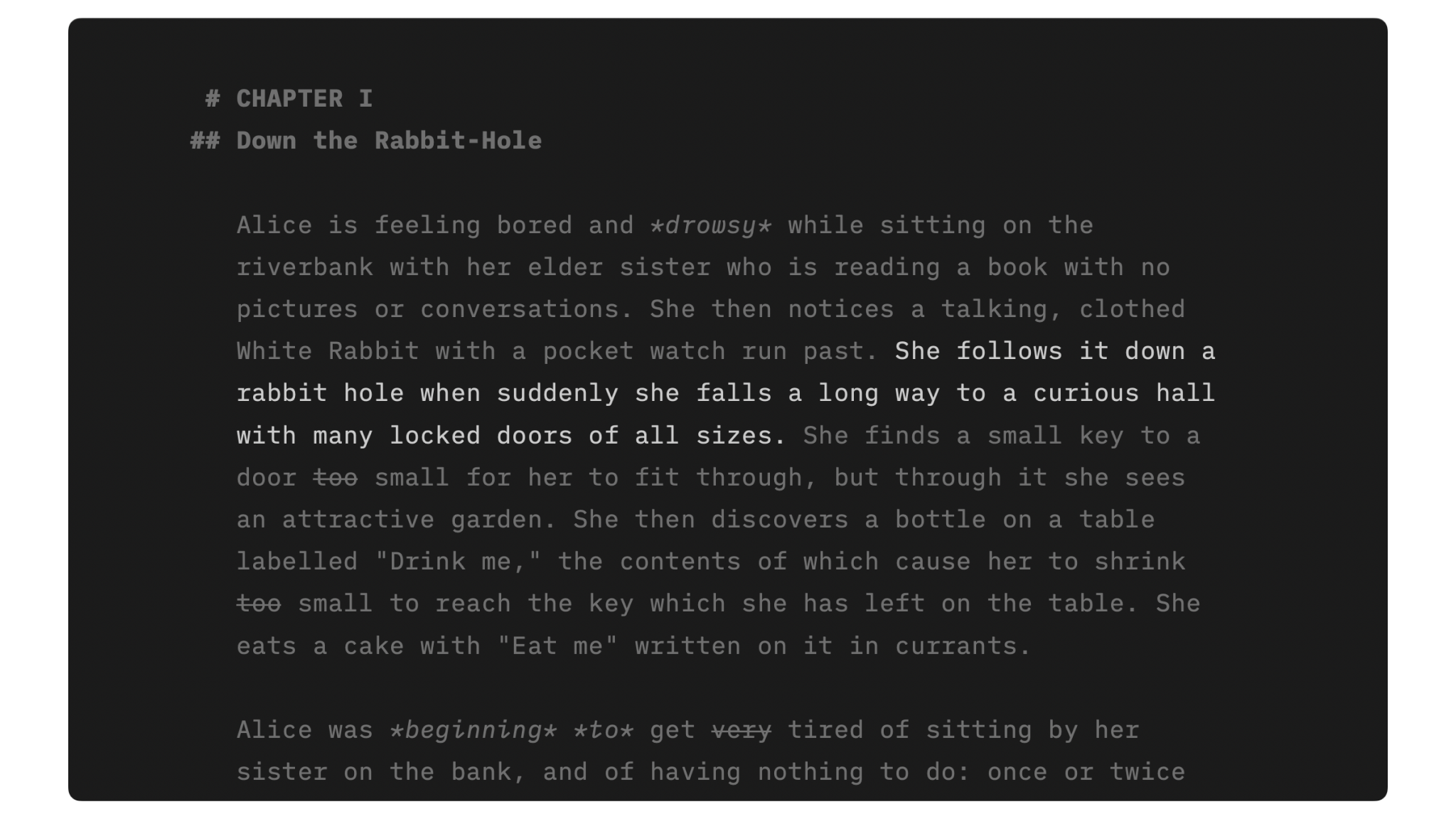
Focus Mode
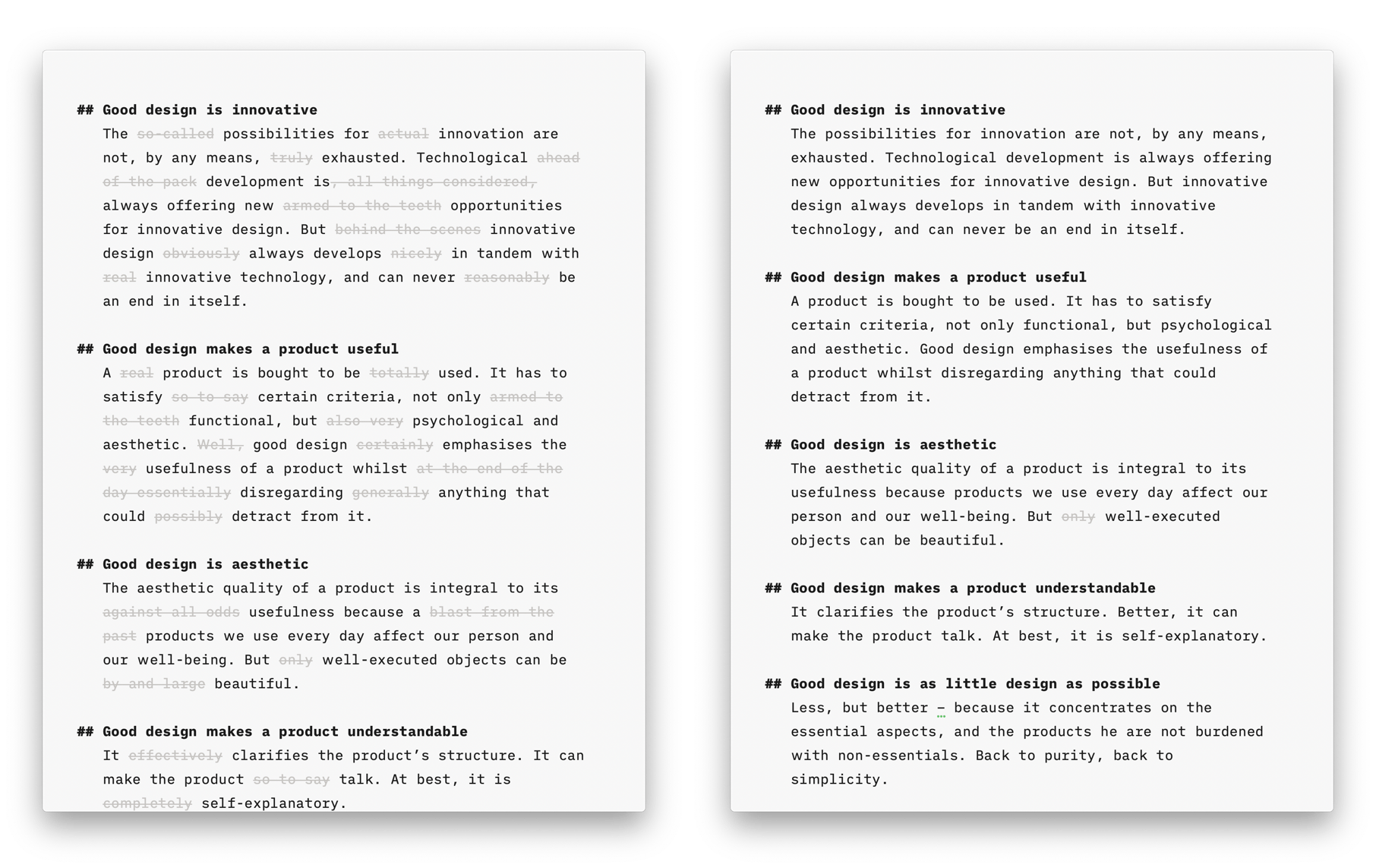
Style Check
A personal editor-in-chief on your device, carefully reviewing your text for redundancies, clichés, and filler words.
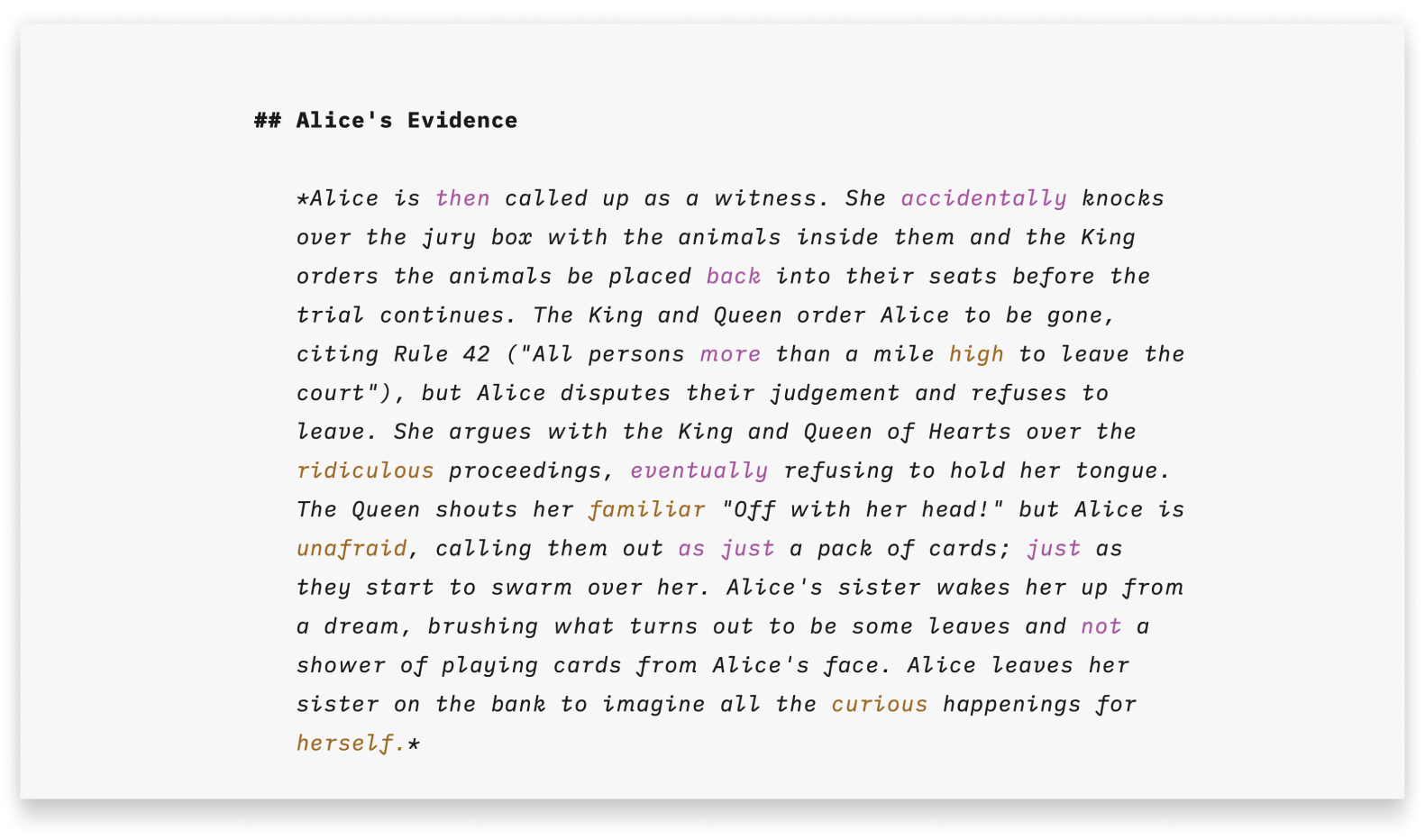
Syntax Highlight
A more structured view of your document will help you improve your writing style.

Metadata
A simple key-value format for storing additional information about a document, only visible in the Editor.
Smart Automation
Auto text completion and transformation: focus on your writing, without getting bogged down by minor details.