iA Writer includes a number of keyboard shortcuts.
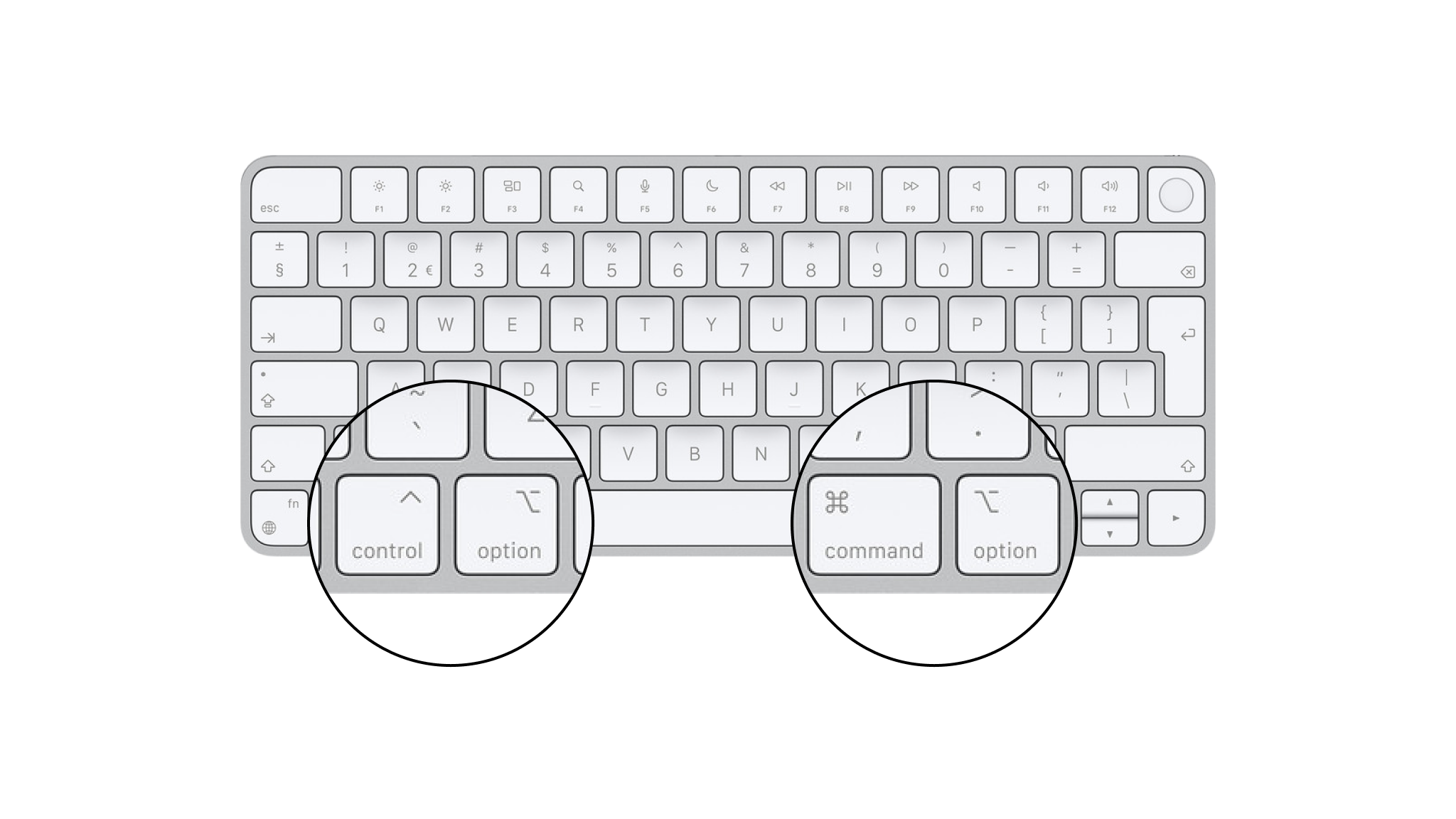
On iOS devices with connected keyboards, you can press and hold ⌘ button at any time to see all available keyboard shortcuts for current screen.
[table_of_contents_iphone]
Files
Quick Search
| ⇧⌘O |
Quick Search |
| ⏎ |
Open file or activate action |
| ⇧⏎ |
Open file in new window |
Navigation
Links
| ⌘⏎ |
Open a link in Editor |
| ⌘-click |
Open a link in Editor |
| click |
Open a link in Preview |
When You Open a Link
| Wikilinks |
Open a document or create a new one, ready to type |
| Text content blocks |
Open a document or create a new one, ready to type |
| Hashtags |
Shown in Quick Search |
| Links |
Open in default browser |
| Emails |
New draft in default mail client |
| URL commands |
Run if allowed |
Document Navigation
| ⌃⌘← |
Go to previous document |
| ⌃⌘→ |
Go to next document |
Interface
| ⌃⌘N |
Dark or light appearance |
| ⌃⌘S |
Show or hide Library on iPad |
| ⌘R |
Show or hide Preview |
Editing
Structure
| ⌘1–6 |
Heading 1–6 |
| ⌘L |
List |
| ⌥⌘L |
Task list |
| ⇧⌘L |
Ordered list |
| ⌥⇧⌘L |
Ordered task list |
| ⌥⌘X |
Mark task as completed |
| ⇥ |
Indent |
| ⇧⇥ |
Outdent |
| ⌥⌘↑ |
Move selected line up |
| ⌥⌘↓ |
Move selected line down |
| ⌘B |
Bold |
| ⌘I |
Italic |
| ⌥⌘U |
Strikethrough |
| ⇧⌘U |
Highlight |
| ⌘K |
Link |
| ⌥⌘K |
Image link |
| ⇧⌘K |
Wikilink |
| ⌃⌘K |
Footnote |
| ⌘J |
Code |
| ⇧⌘J |
Code block |
Focus
| ⌘D |
Enable or disable Focus Mode |
| ⇧⌘D |
Enable or disable Syntax Highlight |
| ⌥⇧⌘D |
Enable or disable Style Checking |
Copy and Paste
| ⌘C |
Copy selected text |
| ⌥⌘C |
Copy formatted selected text |
| ⇧⌘C |
Copy selected text as HTML |
| ⌃⌘C |
Copy selected text as Markdown |
| ⌘V |
Paste |
Find
| ⌘F |
Find |
| ⌥⌘F |
Find and replace |
| ⌘E |
Use selection for find |
| ⌘G |
Find next |
| ⇧⌘G |
Find previous |
Move Caret To
| ← |
Previous character |
| → |
Next character |
| ↑ |
Previous line |
| ↓ |
Next line |
| ⌘← |
Start of line |
| ⌘→ |
End of line |
| ⌘↑ |
Start of document |
| ⌘↓ |
End of document |
| ⌥← |
One word left |
| ⌥→ |
One word left |
| ⌥↑ |
Start of this or previous line |
| ⌥↓ |
End of this or next line |
Text Size
| ⌘+ |
Make text larger |
| ⌘- |
Make text smaller |
| ⌘0 |
Default text size |
 Basics